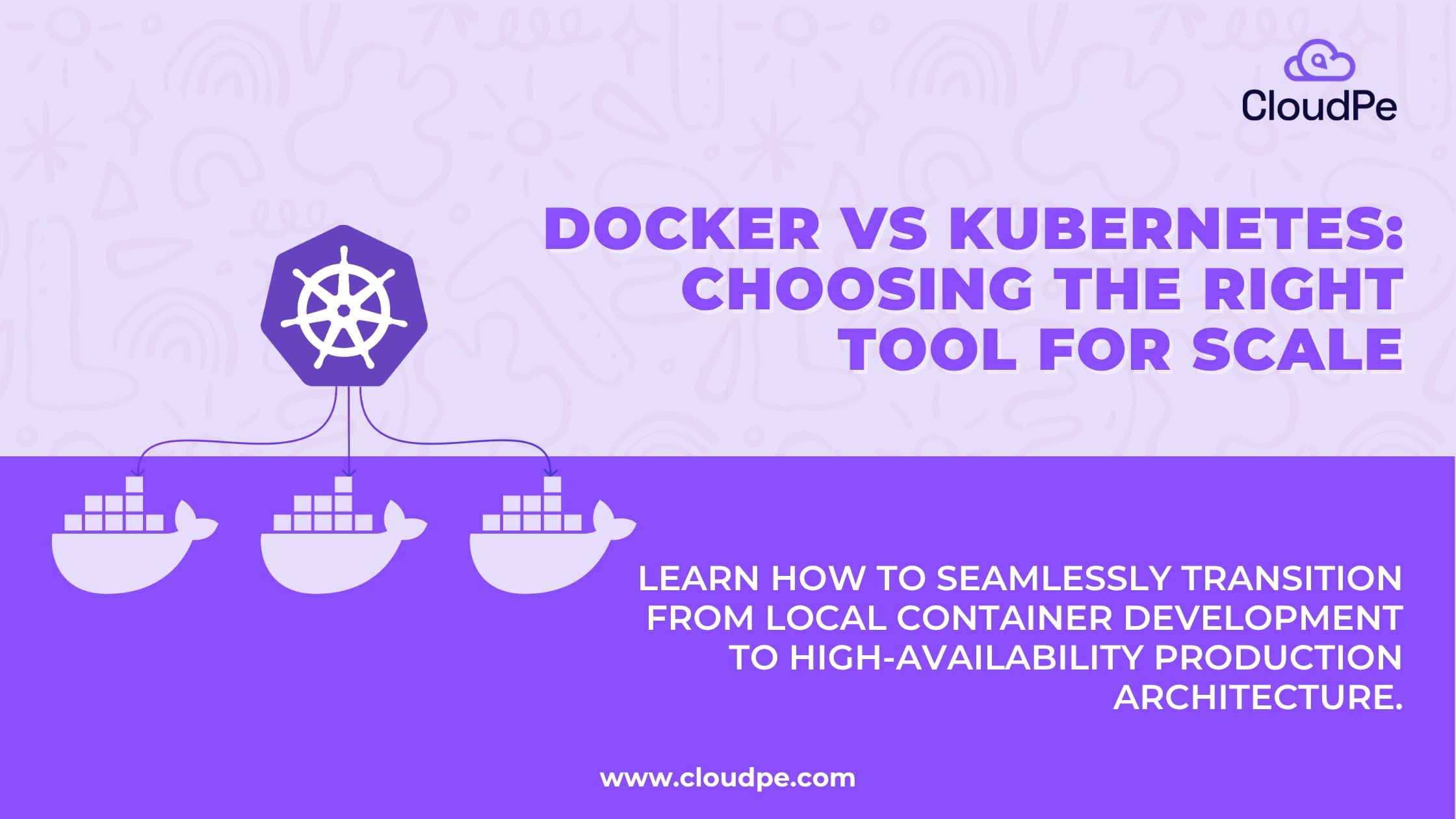
Docker and Kubernetes are not the same thing, and they are not competing tools. Docker builds and runs individual containers. Kubernetes manages those containers across multiple servers. Most production teams use both.
TL;DR
- Docker = build and run containers on a single machine
- Kubernetes = orchestrate and manage containers across a cluster of servers
- They solve different problems at different stages of scale
- Learn Docker first. Add Kubernetes when managing containers manually stops working
- Most production environments use both together
Applications today rarely run as one single program on one server. They are collections of small, independent services, each packaged and deployed separately. This model is called containerisation, and it has become the standard across engineering teams.
According to the CNCF 2023 Annual Survey, 84% of organisations now use Kubernetes in production. Docker, independently, is the most-used development tool among professional developers, with 59.4% adoption according to the Stack Overflow 2024 Developer Survey.
These two numbers tell you something important: most teams are using both tools, not choosing between them.
The confusion is understandable. Both involve containers. Both appear in every DevOps conversation. But they sit at different points in the stack and solve completely different problems.
In this blog we have explained what docker and kubernetes does, how they differ, when to use each, and how they work together in a real deployment pipeline.
What is Docker?
Docker is a tool that lets developers package an application, along with everything it needs to run, into a single portable unit called a container.
Before Docker, running the same application on different machines was a persistent problem. It worked in development but broke in production. Dependencies conflicted. Environments differed. Docker solved this by making the application and its environment inseparable.
A Docker container holds the application code, runtime, system libraries, and configuration. You build it once. It runs identically anywhere: on a laptop, a server, or inside a cloud environment.
Docker also provides Docker Hub, a registry for sharing and pulling container images, and Docker Compose, a tool for defining and running multi-container applications locally.
Docker operates on a single host. It is a build and packaging tool, not an infrastructure management system. That is where Kubernetes comes in.
What is Kubernetes?
Kubernetes is an open-source container orchestration platform. It manages containers across a cluster of multiple servers, automating deployment, scaling, load balancing, and recovery when something fails.
If Docker builds a single container, Kubernetes decides where that container runs, keeps it running, restarts it when it crashes, and scales it based on demand.
Kubernetes was originally developed by Google and is now maintained by the Cloud Native Computing Foundation (CNCF). It groups containers into units called Pods and distributes them across multiple nodes (servers) in a cluster.
Key things Kubernetes handles automatically:
- Scheduling containers across available servers
- Restarting containers that crash or become unresponsive
- Load balancing traffic across multiple container instances
- Scaling up or down based on traffic and resource usage
- Rolling updates with zero downtime
Kubernetes is an infrastructure management system. It assumes containers already exist. Its job is to run them reliably, at scale, without constant manual intervention.
Kubernetes vs Docker: key differences
| Feature | Docker | Kubernetes |
| Primary purpose | Builds and runs individual containers | Orchestrates containers across a cluster |
| Scope | Single host or machine | Multiple nodes across a distributed cluster |
| Scaling | Manual, or via Docker Compose and Swarm | Automated horizontal autoscaling |
| Self-healing | Requires manual restart on failure | Automatically replaces and reschedules failed containers |
| Learning curve | Beginner-friendly, developer-focused | Steeper, requires infrastructure knowledge |
| Best for | Development, testing, small deployments | Production, large-scale, distributed applications |
These are not competing options. They cover different layers of the same workflow.
When to use Docker
Docker is the right tool when you are:
- Building and packaging applications: Docker lets you containerise your application and guarantee it behaves the same in every environment, from local development to production.
- Running local development and testing: Docker and Docker Compose let you spin up entire stacks, databases, APIs, and services, on your local machine without complex setup or environment management.
- Working with small or single-server deployments: If your application runs on one server and does not need complex scaling or high availability, Docker alone handles the job.
Docker is where every container journey starts. You cannot orchestrate containers you have not learned to build and run.
When to use Kubernetes
Kubernetes becomes necessary when:
- You are running applications in production at scale: When you have dozens or hundreds of containers across multiple servers, managing them manually is not viable. Kubernetes automates coordination across the entire fleet.
- You need high availability: Kubernetes monitors container health and automatically restarts or reschedules containers that fail. A single container crash does not take down the application.
- Your application uses microservices: When your application is split into many independent services, each in its own container, Kubernetes manages how those services communicate, scale, and recover independently.
- Traffic is unpredictable: Kubernetes can scale your application up during spikes and down during quiet periods automatically, without manual intervention or overprovisioning.
| Recommended read: A Complete Guide to Kubernetes Service |
How Docker and Kubernetes work together
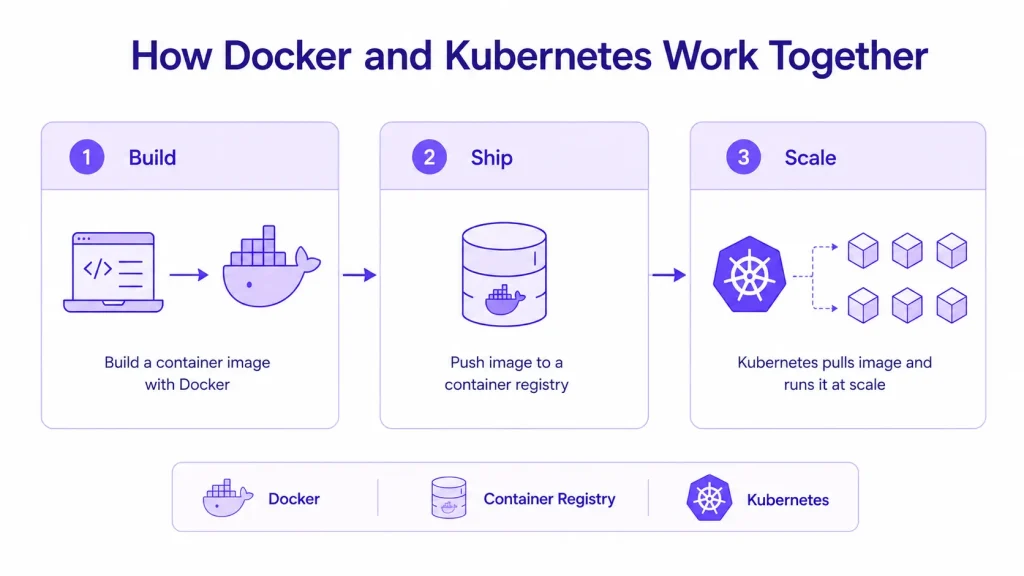
In a modern deployment pipeline, Docker and Kubernetes play distinct but sequential roles.
Here’s an example to understand it better/
Step 1: Build. A developer writes code and uses Docker to build a container image. The image includes the application and all its dependencies, packaged and ready to run.
Step 2: Ship. The image is pushed to a container registry, such as Docker Hub or a private registry. This is the storage and distribution layer for the image.
Step 3: Scale. The image is deployed to a Kubernetes cluster. Kubernetes pulls the image from the registry, schedules it across available nodes, manages replicas, and handles all production operations from that point forward.
Docker creates the container. Kubernetes runs it in production. They are built for different stages of the same workflow.
Docker Swarm vs Kubernetes: what’s the actual debate?
The real comparison in container orchestration is not Docker vs Kubernetes. It is Docker Swarm vs Kubernetes.
Docker Swarm is Docker’s built-in orchestration tool. Like Kubernetes, it can manage containers across multiple servers. The difference is in capability and complexity.
Use Docker Swarm when: your infrastructure is small, your team is new to orchestration, and you want a straightforward setup without significant operational overhead.
Use Kubernetes when: you need advanced features, automatic scaling, rolling updates, complex networking, persistent storage management, and the full ecosystem of production-grade tooling.
Most enterprises choose Kubernetes. The CNCF 2023 Annual Survey shows Kubernetes as the dominant production choice by a wide margin. Docker Swarm has a smaller adoption rate and a narrower feature set.
What should I learn first: Docker or Kubernetes?
Docker first. Always.
Kubernetes assumes you understand containerisation. Without Docker knowledge, core Kubernetes concepts, such as Pods, images, and registries, will not make sense.
A practical learning order:
- Learn Docker: build images, run containers, use Docker Compose
- Understand container concepts: images, volumes, networking between containers
- Move to Kubernetes: Pods, deployments, services, scaling
Most developers get productive with Docker within a few days. Kubernetes takes longer, particularly around production configuration and networking. Do not skip Docker to get to Kubernetes faster. It will cost you more time in confusion later.
Real-world use cases
- SaaS platforms with variable traffic: A SaaS product sees traffic spikes at certain hours and quiet periods overnight. Kubernetes autoscaling adds container instances when demand rises and removes them when it drops. Docker packages the application. Kubernetes handles the scaling.
- CI/CD pipelines: Development teams use Docker to build and test container images in their CI pipeline. Kubernetes then deploys those images to staging and production automatically on each successful build. The result is a repeatable, reliable deployment pipeline with no manual steps.
- AI and ML workloads: Training and inference pipelines require GPU resources and specific dependencies. Teams use Docker to package ML models and their dependencies into containers, then deploy them to Kubernetes clusters with GPU-enabled nodes. For Indian enterprises, this workflow also addresses DPDP compliance requirements by keeping all compute and data within Indian data centres.
- Microservices at scale: An e-commerce platform running 20 independent services, product catalogue, inventory, payments, and notifications, needs each service containerised, networked, and independently scalable. Kubernetes manages all of this. Docker builds each container.
| Recommended read: A complete guide to Kubernetes Used For |
Running Kubernetes without the complexity
Kubernetes is powerful but operationally demanding. Setting up a cluster, managing upgrades, handling node failures, and configuring networking correctly requires significant engineering time.
Most product teams do not want to become Kubernetes specialists. They want the benefits, autoscaling, high availability, self-healing, without the burden of managing the platform itself.
That is what managed Kubernetes solves.
CloudPe’s Managed Kubernetes handles cluster provisioning, upgrades, monitoring, and infrastructure management. Your team deploys applications. CloudPe manages the orchestration layer.
Need Kubernetes infrastructure in India? CloudPe’s Managed Kubernetes gives you enterprise-grade orchestration with data hosted entirely within Indian data centres and support that resolves issues in under 2 hours.
Frequently Asked Questions
Is Kubernetes the same as Docker?
No. Docker builds and runs individual containers on a single machine. Kubernetes manages containers across multiple servers in a cluster. They solve different problems and are used at different stages of a deployment workflow.
Can I use Docker without Kubernetes?
Yes. Many small and single-server deployments run Docker alone. Docker Compose manages multi-container applications on a single host. Kubernetes becomes necessary when you are scaling across multiple servers or need automated recovery and scaling.
Can I use Kubernetes without Docker?
Technically, yes. Kubernetes works with any OCI-compliant container runtime, including containerd and CRI-O. In practice, most teams still use Docker to build and package container images, even if Kubernetes does not use Docker directly at runtime.
Has Kubernetes replaced Docker?
No. Kubernetes removed Docker as its internal container runtime in version 1.24, moving to containerd directly. But Docker remains the standard tool for building container images. The two tools continue to be used together across the industry.
What should I learn first: Docker or Kubernetes?
Docker first. Learn to build images, run containers, and use Docker Compose before touching Kubernetes. Understanding containerisation is a prerequisite for understanding orchestration.
What is managed Kubernetes and when do I need it?
Managed Kubernetes is a service where the infrastructure provider handles cluster setup, upgrades, and maintenance. You deploy your applications. The provider runs the platform. It is the right option when you want Kubernetes benefits without the operational overhead of managing clusters yourself.