
Overview
This guide explains how to delete an old Virtual Machine (VM) and recreate a new VM with the same IP address.
Steps
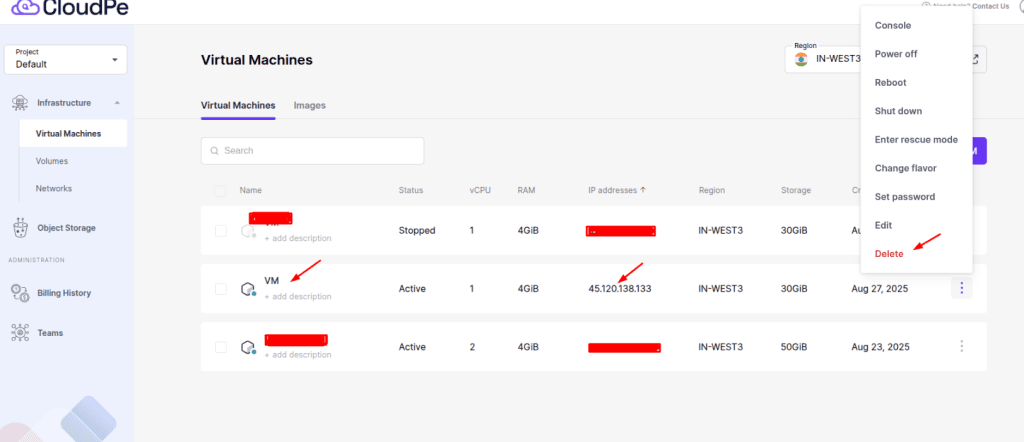
1. Delete the Old VM
Go to Infrastructure → Virtual Machines.
Locate the VM that has the IP you want to reuse.
Click on the 3-dot menu → Delete.
2. Create a New VM
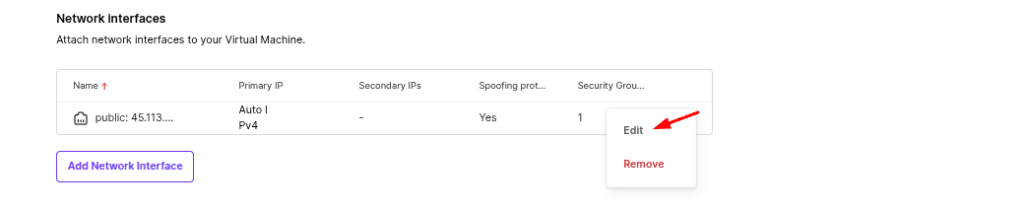
Start the process to create a new VM.
During the setup, go to Network Interfaces and click Edit.
3. Assign the Old IP
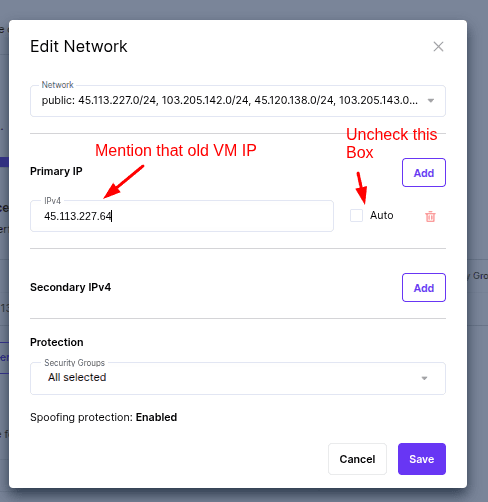
In the Edit Network window:
Uncheck the Auto option.
Enter your old VM IP address in the Primary IP field.
Click Save.
Result
Your new VM will now be created with the same IP address as the old VM.